GenClean Review: Private Image Tools That Run in Your Browser
A practical look at GenClean's browser-based image tools, free plan, Pro features, and trade-offs.
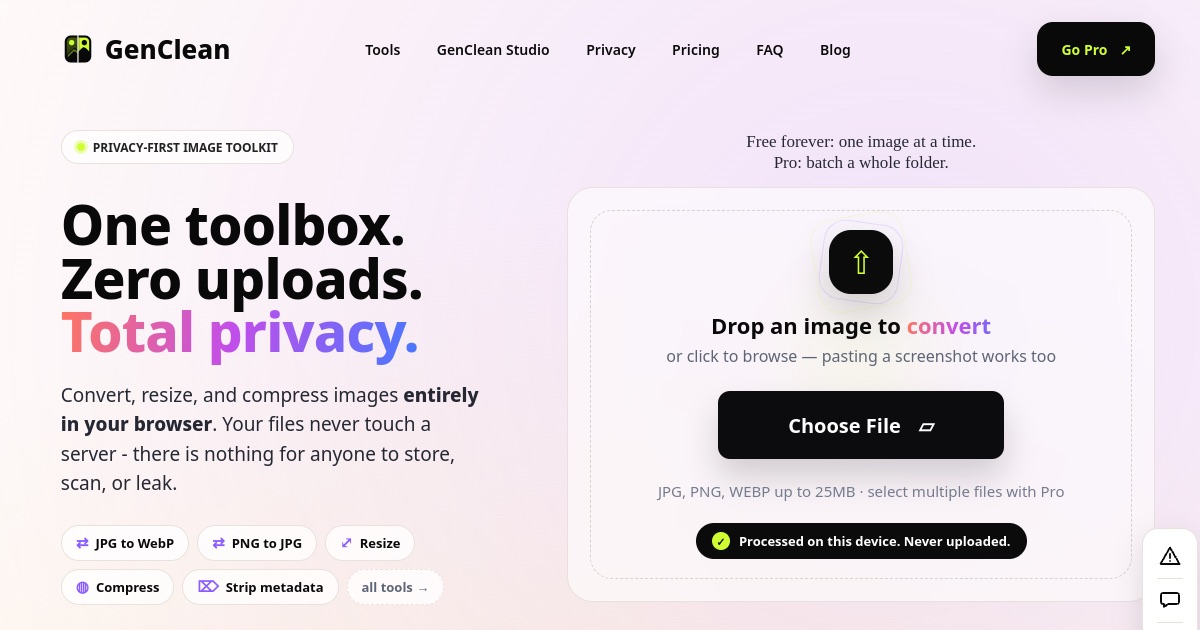
GenClean is a browser-based image toolkit for converting, resizing, compressing, and cleaning images without sending the files to a processing server. Its free tier is designed for one image at a time, while a one-time Pro purchase adds batch processing for larger jobs.
What GenClean does
GenClean gathers everyday image utilities in one browser-based workspace. The live site highlights format conversion, resizing, compression, metadata cleaning, and a broad catalog that also includes tools such as OCR text extraction, background removal, image annotation, and screenshot utilities.
Its main distinction is local processing. GenClean says image work happens in the browser and files are not uploaded or stored on its servers. That can be useful when you want to avoid sending an image to a third-party processing service, though users should still consider the trustworthiness of the site code and their own browser environment.
The homepage's main file picker currently advertises JPG, PNG, and WebP files up to 25 MB. The broader tool catalog lists additional formats and workflows, and its FAQ describes some conversions as upcoming. Supported inputs therefore depend on the specific tool, so check its page before starting a time-sensitive job. Browse GenClean's current tools for the latest details.
Who it is built for
GenClean is aimed at people who need quick image edits without installing desktop software or creating an account. That includes creators preparing web assets, developers optimizing images, and anyone who occasionally needs to resize, convert, compress, or remove metadata from a file.
The free one-image workflow suits occasional tasks. Batch processing is more relevant to users handling folders of images, such as preparing a set of product photos or resizing a group of graphics. Teams that need shared asset libraries, centralized controls, or a managed review workflow may need a separate platform.
How it works
Choose a tool, select or drop in an image, adjust the available settings, and download the result. The homepage also supports pasting a screenshot. GenClean says processing happens in the browser, so the source image does not need to make a round trip to a server before the result is ready.
That architecture has a practical trade-off: the browser and device do the work. Large images, batch jobs, and more demanding operations can use memory and processing power, so performance depends on the device. Pro's larger file limits do not remove the hardware constraints of local processing.
For an occasional edit, open GenClean and select a tool to see its specific formats and controls.
Notable features
- Conversion, resizing, compression, and metadata-cleaning tools in one catalog.
- Browser-side processing, with the product stating that files are not uploaded or stored on its servers.
- A free single-image workflow with no account required, according to the site.
- Batch queues and ZIP export in Pro for processing a folder of images.
- A range of additional utilities, including OCR, background removal, screenshot tools, and image-to-PDF workflows.
- Pro removes ads and includes larger file limits and future tools, according to the current pricing section.
The catalog is broad, but availability and supported formats can differ by tool. The homepage and FAQ do not describe all formats consistently, so verify a tool's current page rather than assuming every listed format is available in every workflow.
Pricing
GenClean presents single-image use as free, unlimited, and account-free. Its site currently lists Pro for a one-time $9 launch price, with $29 shown as the usual price. Pro adds batch processing, ZIP export, larger file limits, and an ad-free workspace. Pricing and launch offers can change, so check GenClean's current plan details before purchasing.
How it compares
The key choice is local versus server-based processing. A conventional web converter may upload files for processing, while GenClean says its tools run in the browser. For a person editing an occasional image, that can reduce the need to transfer a file to a processing service.
Local processing is not an automatic security guarantee. Users still rely on the browser, the delivered application code, and their device. It can also be less convenient for large batches on lower-powered hardware. GenClean's free tier provides a low-friction way to try single-image tasks; Pro is aimed at users who want a batch workflow without a recurring subscription.
Bottom line
GenClean combines common image utilities with a local-first workflow and a free option for single images. The Pro plan adds useful batch features for a one-time payment, but the product's broad catalog makes it important to check each tool's supported formats and limits. It is a reasonable option for quick browser-based edits when you prefer not to upload files to a processing service, with device performance as the main practical constraint.
If that workflow fits your needs, try GenClean's free single-image tools.
Frequently asked questions
Is GenClean free?
The site offers free, unlimited single-image processing without an account. Pro is a separate one-time purchase for batch processing and additional features.
Are images uploaded to GenClean?
GenClean says its tools process images in the browser and do not upload or store the files on its servers. Check the specific tool and its current privacy information for your use case.
What does GenClean Pro add?
The site lists batch processing, ZIP export, larger file limits, an ad-free workspace, and access to future tools as Pro features.
Which image formats does GenClean support?
The homepage file picker currently shows JPG, PNG, and WebP, while individual tools may list other formats. Check the chosen tool's page because format support varies and some conversions are described as upcoming.
Does GenClean work on mobile?
The site says it works in modern mobile browsers. Processing speed and practical file sizes still depend on the device and browser.