Discovered, currently not indexed: what it means for a new site and what to do
Search Console says your new pages are "Discovered" or "Crawled, currently not indexed". What each status means, what to fix and when to just wait.
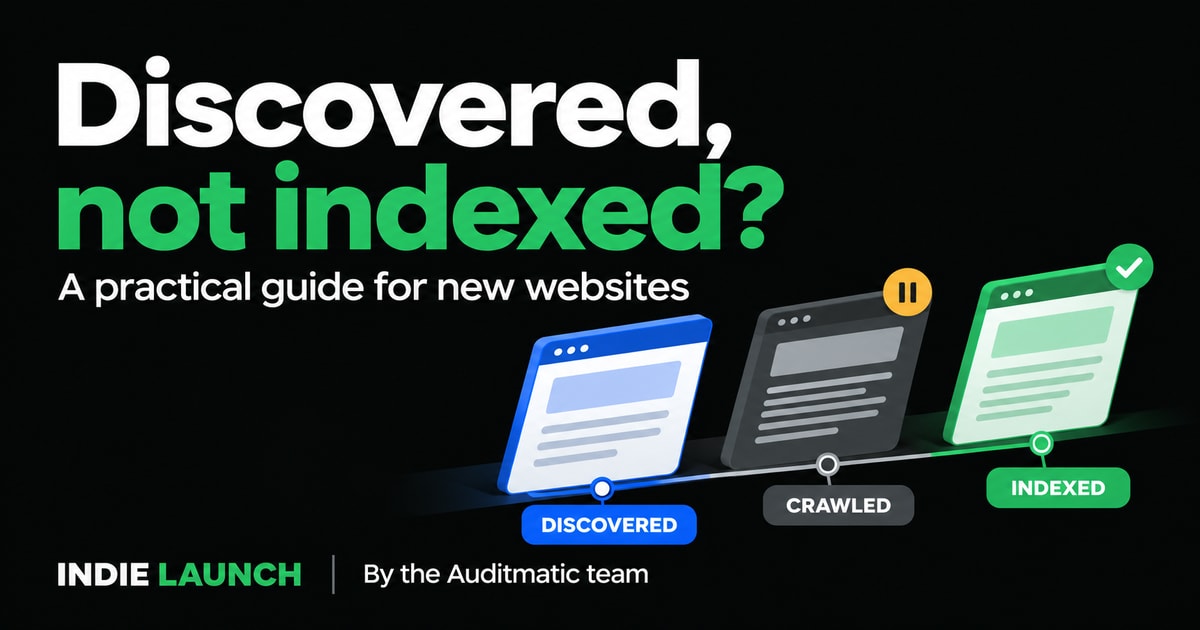
Quick answer: for a brand-new site this status is usually normal, not an error. Google says new sites and pages can take about a week to start being crawled and indexed, so wait a few days, check that nothing you control is blocking the pages, make sure each page is linked and in your sitemap, and only then ask Google to look again. "Discovered" and "Crawled" are different problems with different fixes, and this guide separates them.
Disclosure: we make Auditmatic, an SEO audit tool, and link to our own guides below. Everything here can be done with free tools.
You launched, opened Google Search Console, and found your pages under "Why pages aren't indexed" with one of two labels. This is a common moment for founders, and most advice about it is written for sites with millions of pages. Here it is for a site with a handful.
Which tool answers which question
Three tools get confused, and each answers a different question.
| Question | Use | Caveat |
|---|---|---|
| Is this one page in Google? | URL Inspection in Search Console | Shows Google's stored data, and the live test does not check duplicate or canonical problems |
| Why are my pages not indexed? | The Page indexing report | Reflects the last crawl, so it can lag URL Inspection |
| A quick hint | Searching site:yourdomain.com | Google says results are not always exhaustive and it cannot be used to count indexed URLs |
Do not treat site: as a number. Google's own documentation says a URL can be indexed and still not show up there. If a page seems missing, confirm with URL Inspection.
What the two statuses mean
Both appear in the Page indexing report. Google's help page defines them like this.
| Status | What happened | What it usually means |
|---|---|---|
| Discovered – currently not indexed | Google knows the URL exists but has not crawled it yet | Google postponed the crawl, often to avoid overloading a server, or it has not prioritised the page |
| Crawled – currently not indexed | Google fetched the page but chose not to index it | It saw the page and has not decided it adds enough to the index |
Google states that it does not index every page it finds, so these statuses are not automatically problems. For an important page, though, they are the two to understand, because the fixes differ.
How long to wait first
Google's page indexing help says new sites and pages can take about a week to start being crawled and indexed. Its recrawl documentation puts crawling at "a few days to a few weeks", and says inclusion may not happen instantly or even at all. Many popular guides quote tighter numbers without a source. Use Google's wording instead.
A practical rule for a new site:
- Days 1 to 3: do nothing but check that nothing is blocking the pages.
- Around day 7: open URL Inspection on your homepage and two other pages.
- After two weeks: if the status has not moved, work through the fixes below.
For scale, our own site was verified in Search Console and Bing Webmaster Tools in its first week, with the sitemap submitted. In that week Search Console showed about 1,000 impressions and 2 clicks. We cannot say what caused that, and a new site's early impressions are often for its own name, so we treat it as a sign that crawling had started and nothing more.
Fix list for "Discovered – currently not indexed"
This status is about crawling, so fix what stops Google reaching or prioritising the page.
- Check nothing is blocking it. A
noindextag, aDisallowrule in robots.txt, or a staging setting left on are the most common self-inflicted causes. Openyourdomain.com/robots.txt, and view the page source fornoindex. On WordPress, check Settings → Reading for the "Discourage search engines from indexing this site" box. - Put the page in your sitemap. For many URLs, Google recommends a sitemap, especially on a new site. Submit it in Search Console.
- Link to the page from other pages. A page nothing links to is easy to ignore. Add links from your homepage or a related page with descriptive text. Our guide on pages with no outgoing links covers the opposite problem, a page that links nowhere, and the two are often confused.
- Make sure the server is healthy. Slow or erroring pages give Google a reason to delay crawling.
- Wait, then ask once. Google says a recrawl request is for important changes it has not noticed for a week or more.
Fix list for "Crawled – currently not indexed"
This status is about value. Google saw the page and held back, so the page itself needs to be better or clearer, not just easier to find.
- Check it is not a near-copy. Several pages with the same text or template give Google little reason to keep them all. Merge them or make each one say something different.
- Add the substance. A page with a few lines of text and a heading is easy to leave out. Say what it is for, who it helps, and give a concrete example or answer.
- Link to it from pages that matter. Internal links tell Google the page is part of the site.
- Check the canonical. If a page's canonical tag points at a different URL, Google may index that one instead. This is expected, not a fault.
- Improve, then ask once. After a real change, request indexing for that page.
Self-inflicted causes worth ruling out
Before you blame Google, check these. Each takes under a minute.
# Is a noindex header or tag present?
curl -sI https://example.com/ | grep -i -E "^HTTP|x-robots-tag"
curl -s https://example.com/ | grep -i -o '<meta name="robots"[^>]*>'

# What does robots.txt say?
curl -s https://example.com/robots.txt

# Does the canonical point at your real address?
curl -s https://example.com/ | grep -i -o '<link rel="canonical"[^>]*>'
Two points trip people up. First, robots.txt controls crawling, not indexing. Second, if a page is blocked in robots.txt, Google cannot see a noindex tag on it. So do not use robots.txt to remove a page from results. Google explains this in its noindex documentation.
Also check the rendering. If your site is a client-side app, the first response may contain very little text. Run the curl above: if your real page text is not in the output, Google may have little to judge until it renders the page. Google's JavaScript SEO basics explains what it does. The full set of technical checks is in our technical SEO audit checklist.
Using Request Indexing honestly
In URL Inspection you can click Request Indexing. It is useful once, for an important page, after you have fixed something. Google's documentation is clear about its limits:
- It gives no guarantee, and inclusion may not happen at all.
- Requesting a recrawl again and again for the same URL does not speed it up.
- It is for a few URLs. For many, use a sitemap.
- There is a quota, but Google's page gives no number, so ignore the figures quoted elsewhere.
One piece of advice to skip: some guides suggest Google's Indexing API for ordinary pages. Google limits that API to job posting and livestream pages, so it will not help a normal site.
Fixed it? How long validation takes
If you fix an issue in the Page indexing report, use Validate Fix once after fixing every affected URL. Google says validation can take up to about two weeks and sometimes longer, and that one remaining affected URL makes the whole validation fail. Fix all of them first, then click once.
What about Bing and IndexNow?
Google is not the only index. Bing Webmaster Tools lets you verify your site and submit a sitemap, and it is worth doing early. IndexNow is a free, open protocol that lets you tell participating search engines when a page is added or changed. According to the IndexNow site, engines that adopt it include Bing, Yandex, Naver, Seznam.cz and Yep, and Google is not listed. It does not guarantee indexing; each engine decides. Setup is a key file on your site plus a request that lists your URLs.
We did this for our own site: verified Bing Webmaster Tools, submitted the sitemap, and sent our URLs through IndexNow. That covers Bing. It does not replace Search Console for Google.
Indexed is not ranked
Even when every page is indexed, none of them is guaranteed a position. Indexing means Google has the page stored. Ranking depends on how well the page answers a search compared with others. Once your pages are indexed, the work shifts to what they say. Our SEO audit checklist covers what to fix first, and the choice of what to rank for is a separate job from any audit.
Frequently asked questions
Is "Discovered – currently not indexed" bad?
Not by itself. It means Google knows the URL but has not crawled it. On a new site it is common. It is worth acting on only if an important page stays in that status after a couple of weeks.
What is the difference between Discovered and Crawled?
Discovered means Google has not fetched the page yet. Crawled means it fetched the page and chose not to index it. The first is about crawling and priority, and the second is about the page's value.
How long does Google take to index a new website?
Google says about a week for new sites and pages to start being crawled and indexed, and crawling can take a few days to a few weeks. There is no guaranteed time.
Should I keep clicking Request Indexing?
No. Google says repeated requests for the same URL do not speed things up. Use it once after a real fix.
Why does site: show fewer pages than Search Console?
Google says site: results are not always exhaustive. Use the Page indexing report for the real picture.
Check what a crawler sees
If you want to confirm that your pages are not accidentally blocked, Auditmatic has a free site audit at auditmatic.app that checks noindex, robots.txt, canonicals and the other technical basics, and groups what it finds by cause. The free tools above do the same by hand for a small site.
By the Auditmatic team. Auditmatic is an SEO audit tool built to be used by AI coding agents. Google's statements were checked against its help pages on 8 November 2026.